Essential Drone Apps Every Beginner Should Download
Let’s face it — flying a drone isn’t just about pushing a joystick and hoping for the best. In the early days, I thought I was a natural… until I flew into a restricted zone and got a not-so-friendly warning from my app (yep, could’ve used a little heads-up).
If you’re just starting out and want your flights to be safe, smooth, and super satisfying, the right apps can make all the difference. From avoiding angry magpies to finding the perfect golden hour, these drone apps will save your footage — and your sanity.
Weather & Airspace Apps: Know Before You Go
1. UAV Forecast
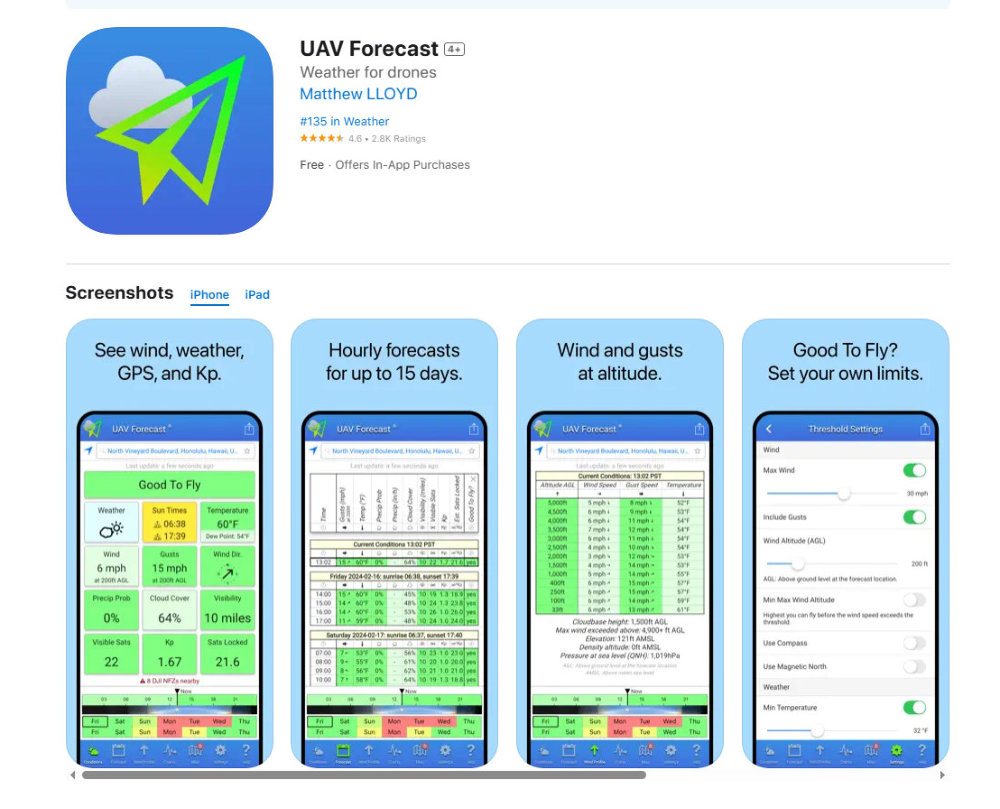
UAV Forecast is a go-to app for drone pilots who want fast, easy-to-read weather data tailored specifically for drone flights. Unlike general weather apps, UAV Forecast provides drone-centric conditions including:
- Wind speeds at multiple altitudes
- Cloud cover and visibility
- GPS satellite availability
- KP index (for geomagnetic interference)
- Temperature and precipitation
Why it’s great: You get a simple “Good to Fly” or “Not Good to Fly” status at a glance, and the UI is beginner-friendly.
Example use: You’re planning a beach flight at 4pm. Open the app, see 26 km/h winds at 50m altitude and a KP index of 6 (high interference). Nope! Try again tomorrow. It saves you time — and potentially, your drone.
2. OpenSky by Wing (Google)
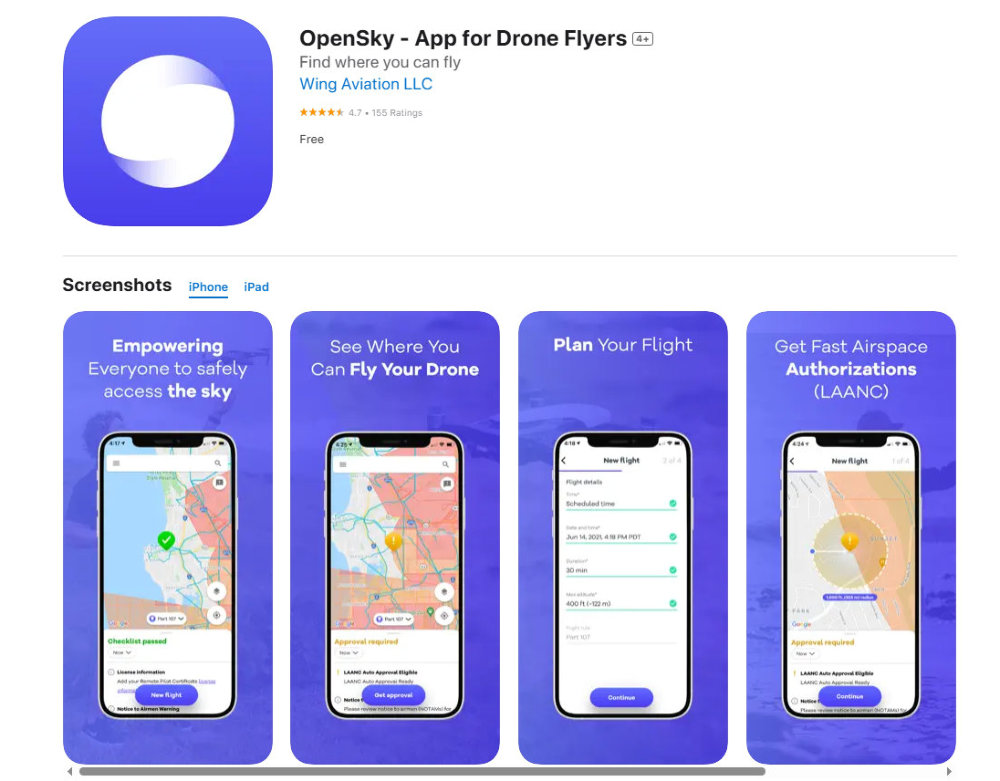
Endorsed by CASA, OpenSky is an official app for checking whether you’re allowed to fly in a specific location in Australia. It provides a real-time map showing:
- No-fly zones (airports, prisons, etc.)
- Restricted airspace
- Temporary flight restrictions (e.g. bushfires)
- Your current location with GPS overlays
Why it’s great: It’s approved by CASA and gives you confidence you’re flying legally. You can even save frequently flown locations and check them with one tap.
Related: Where Can You Fly a Drone?
3. Windy
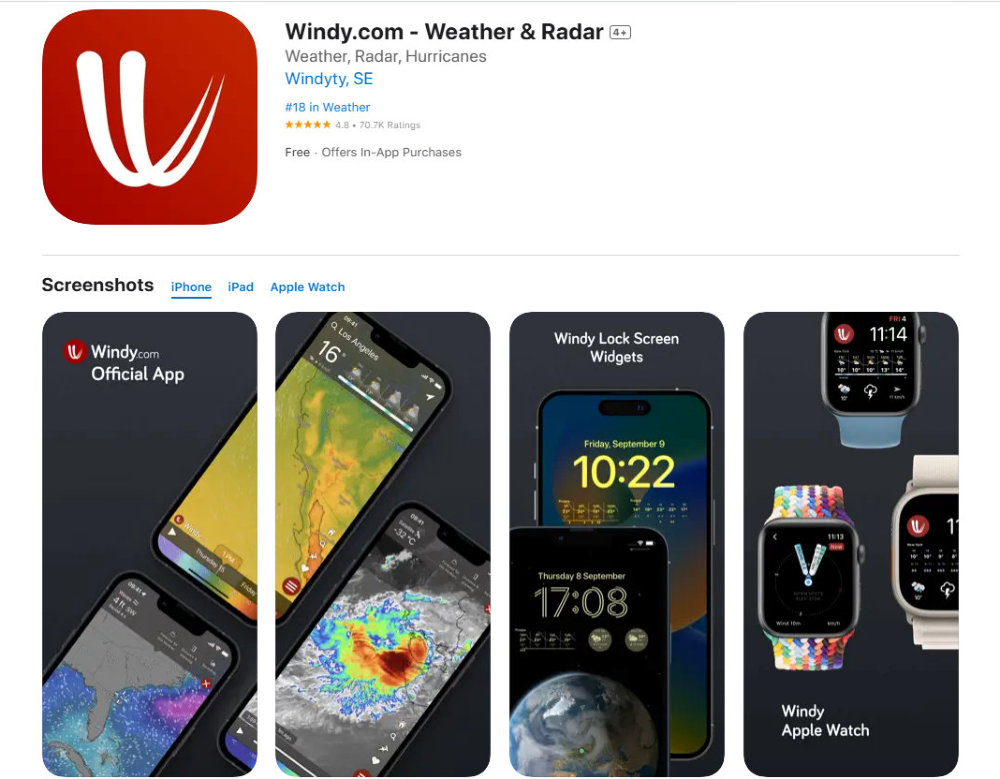
Windy is a powerful visual tool to track wind patterns and forecasts worldwide. It shows animated wind maps, gust predictions, temperature, humidity, and rain forecasts. While it’s not designed only for drones, it’s one of the most accurate for anticipating changing conditions.
Why it’s useful for drone pilots: You can use it to see upcoming wind shifts or weather patterns that might impact longer shoots — like drone beach sessions or mountain flights.
Tip: Combine Windy with UAV Forecast for a broader picture: one gives general trends, the other gives drone-specific flight conditions.
4. AirMap (now DroneUp Airspace Map)
AirMap used to be the global standard, especially in the US, for managing airspace authorisations. While it’s recently transitioned to DroneUp’s ecosystem, its core feature — real-time airspace intelligence — remains useful for Aussie pilots wanting global reach or broader visual tools.
Best for: Travelling drone pilots or those doing commercial flights who want broader, cross-country airspace mapping.
Flight Logging & Tracking Apps: Keep Tabs on Your Skies
1. DroneLogbook
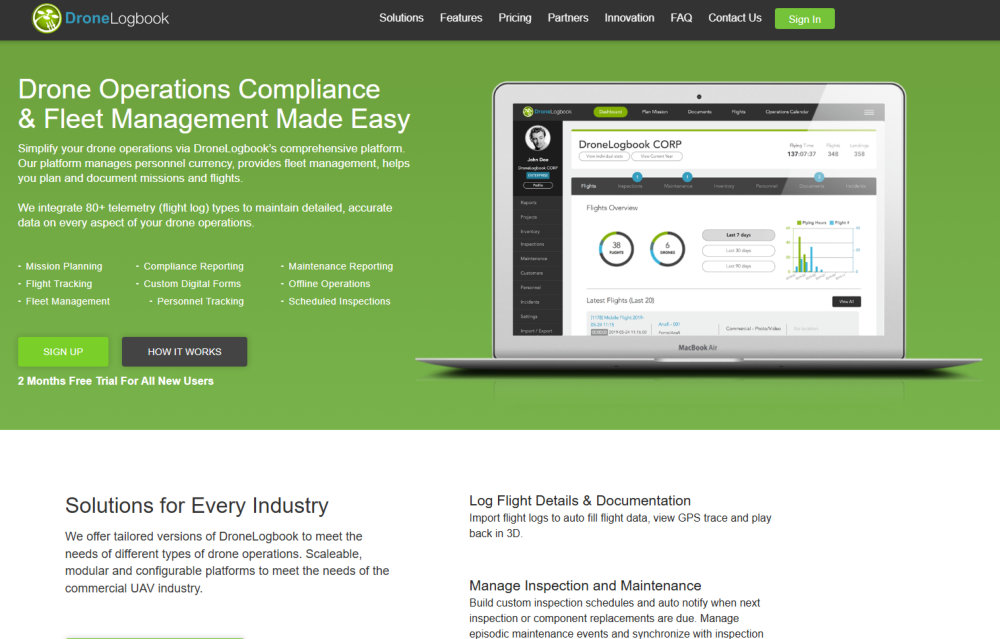
DroneLogbook is like a digital diary for your drone — but way smarter. It lets you automatically record your flight logs, monitor maintenance schedules, manage battery health, and even store pre- and post-flight checklists.
Why it’s useful: For commercial or frequent flyers, keeping a detailed log is essential. In some cases (like commercial operations under ReOC in Australia), it’s mandatory. Even as a hobbyist, it’s a great way to track hours, identify issues, and improve consistency over time.
Example: Say you had an unstable flight. You can check back to see which battery was used, what the GPS signal was like, or even whether it was your fifth flight of the day. These insights help you make better decisions in future flights.
Related: Skills Every Drone Pilot Should Master
2. AirData UAV
AirData UAV is a cloud-based platform that syncs with DJI GO, DJI Fly, and other major apps to pull in your flight data and generate insightful reports. You can view:
- Battery health over time
- GPS signal patterns
- RC signal issues
- Gimbal and compass errors
Why it’s excellent for beginners: It breaks down your flight metrics in plain English and shows trends you might otherwise miss — such as recurring battery overheating or poor GPS areas.
Pro tip: Set AirData to sync automatically after every flight for seamless backup and peace of mind.
3. Kittyhawk (Now Aloft)
Kittyhawk, now known as Aloft, combines airspace intelligence with real-time logging and preflight checklists. It’s a great all-in-one tool for planning and tracking — especially if you’re mixing hobby flights with commercial gigs down the road.
Why it’s unique: Aloft provides live flight logging, real-time airspace awareness, and even digital LAANC approvals (in the US). While not all features are usable in Australia, it’s worth keeping an eye on its capabilities if you fly internationally.
Related: How to Start Earning Money With Your Drone
Photo Editing & Media Management Apps: Make Your Drone Shots Pop
1. LightCut: Smart Editing from DJI’s Partner App
LightCut is a free video editing app recommended by DJI and often suggested when you connect your DJI Mini 2 SE, Mini 3, or other models. It’s optimised for DJI drones and offers one-tap AI-generated video edits — ideal for beginners or casual creators.
Key Features: One-Tap Editing: Import drone footage and the app will auto-generate a cinematic video with music and transitions.
DJI Template Library: Includes built-in templates that match the style of different DJI drones.
Wireless Footage Transfer: Allows seamless importing via Wi-Fi from DJI Fly app (no cable needed).
Custom Edits: You can manually trim, add filters, music, and text overlays if you want more control.
Why It’s Great for Drone Pilots: You don’t need a laptop or advanced editing skills. Great for fast social content, travel reels, and family highlights.
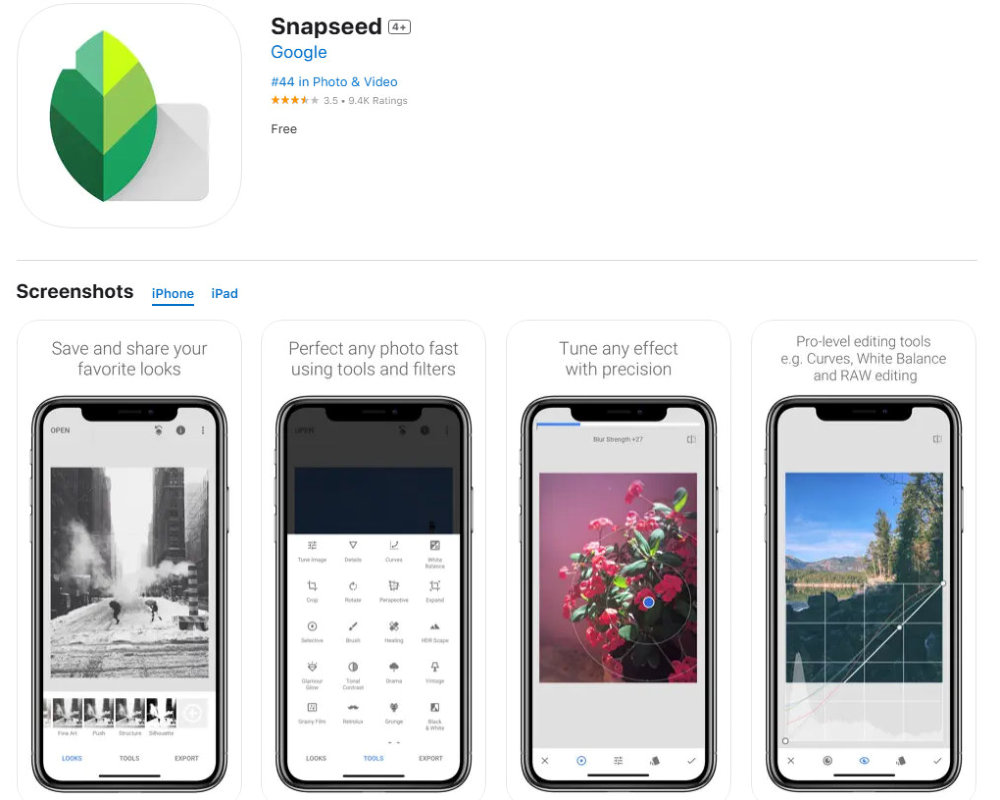
2. Snapseed (Free)
Snapseed is a free, beginner-friendly photo editing app by Google, perfect for editing drone stills on the go. It supports RAW files, which is a big deal if your drone shoots in DNG format (like the DJI Mini 3).
Why beginners love it: It has one-tap “Looks” (presets), powerful sliders for fine-tuning exposure and contrast, and a healing brush for removing pesky details (like power lines or birds). It’s also non-destructive, so you can tweak without fear of ruining your original shot.
Pro tip: Use the “Selective” tool to edit just one area of the photo — like brightening shadows on the beach without blowing out the sky.
3. Lightroom Mobile (Free with optional premium features)
Adobe Lightroom Mobile is the go-to for many drone photographers who want consistent, professional-grade editing. It syncs across devices, stores presets, and handles RAW like a boss.
Why it’s great for drone content: Lightroom gives you advanced control over colour grading, lens distortion, and even haze reduction — ideal for removing fog or marine mist from beach shots.
Bonus: You can create your own editing style (preset) and apply it to every photo from a flight session, saving heaps of time.
Related: How to Take Stunning Drone Photos
4. Google Photos / Apple Photos
While not technically editing powerhouses, Google Photos and Apple Photos are brilliant for organising and backing up your drone footage, especially if you shoot a lot.
Key features:
- Automatic cloud backup
- Facial recognition (great if you’re capturing people)
- Quick sharing and simple enhancements
Tip: Use albums to sort flights by location, date, or project. And don’t forget to tag your best shots!
Related: How to Organise, Store, and Back Up Your Drone Files
5. Frame Grab Tools (For Video Stills)
If you shoot in 4K or higher, you can extract stills from video footage. Apps like Video to Photo Frame Grabber (iOS) or Frame Grabber (Android) make it easy.
Why it matters: Sometimes you’ll capture the perfect moment — like a dolphin breaching — in video, not a photo. Frame grabs let you relive and share that magic.
Related: How to Get Amazing Photos From Your Drone Video Footage
Flight Simulators & Skill-Building Apps: Train Before You Fly
1. DJI Virtual Flight
DJI Virtual Flight is DJI’s own drone simulator designed for beginners to practice flight skills in a risk-free environment. You can connect your controller (like the DJI RC-N1) to your phone or tablet and simulate flying in different environments — indoors, outdoors, obstacle courses — without putting your drone at risk.
Why it’s a must for beginners: You’ll get used to throttle control, yaw, pitch, and roll before you ever step outside. Plus, you can practice return-to-home scenarios and emergency landings in a calm setting.
Example: If you’re nervous about flying near trees or over water, this sim gives you muscle memory before the real deal.
Related: How to Improve Your Drone Flying Skills
2. DroneSim Pro
DroneSim Pro is a downloadable desktop simulator that replicates real-life physics and lets you train with virtual DJI-style drones. It’s great if you prefer practising with a mouse and keyboard or gaming controller before moving to the field.
Why it’s helpful: Unlike arcade-style flight games, DroneSim Pro focuses on realistic responses — including wind gusts and signal loss. If you’re working toward commercial certification, it’s a solid investment.
3. Zephyr Drone Simulator
Zephyr is an education-focused simulator designed for training programs and schools, but individuals can use it too. It includes detailed curriculum-style missions and scenarios like tower inspections and GPS failures.
Who it’s great for: Learners who want structured progression, not just free-flying. If you thrive on goals and unlocks, Zephyr gives you a path from rookie to confident flyer.
4. Liftoff: FPV Drone Racing (Bonus for FPV Curious)
If you’re curious about FPV drones, Liftoff is the leading FPV simulator used by racers and freestyle pilots around the world. It’s available on PC and console, with physics so realistic many pro pilots use it daily.
Why it’s worth trying: Even if you’re flying a GPS drone now, this gives you an idea of what’s possible. Plus, it’s wildly fun and addictive. Just remember: FPV flying is very different — and there’s no GPS safety net!
Related: Skills Every Drone Pilot Should Master
Bonus: Drone Apps for Creative Output
1. LumaFusion (iOS Only)
LumaFusion is one of the most powerful video editing apps available for iPhone and iPad. It’s used by mobile filmmakers, vloggers, and yes — drone pilots. You can import your 4K drone footage, apply LUTs, add transitions, layer music and text, and export in full resolution — all from your tablet.
Why it’s amazing: It gives you a desktop-class editing suite on the go. If you’re travelling, you don’t need to wait until you’re home to cut your reel. Edit at the beach, in your van, or from your tent.
Related: 10 Creative Ways to Use Your Drone Footage (Beyond Just YouTube)
2. InShot (iOS & Android)
InShot is a beginner-friendly video editing app perfect for creating short, punchy content for Instagram Reels, TikToks, or Facebook. You can easily trim clips, add text overlays, speed up or slow down footage, and adjust aspect ratios for vertical formats.
Why it’s perfect for quick wins: You can go from drone footage to edited social post in under 5 minutes. Great for content creators and anyone who wants to share beautiful moments fast.
3. Canva
Canva isn’t just for graphic design — it’s great for turning drone photos into digital products like wallpapers, quote graphics, posters, or even travel guides. Upload your photos, drop them into beautiful templates, and create something your audience can download or buy.
Examples:
- Create a set of drone-themed mobile wallpapers
- Design a mini travel ebook with drone shots of Sydney’s beaches
- Make a printable wall calendar with your best monthly images
Related: How to Organise, Store, and Back Up Your Drone Files
4. TouchRetouch
TouchRetouch is a simple yet powerful app that removes unwanted objects from your drone photos. Power lines, stray beach towels, even random people — gone with a tap.
Why drone pilots love it: When you’re capturing wide landscapes or cityscapes, there’s often clutter in the shot. TouchRetouch helps clean up your final image without needing Photoshop.
5. Quik by GoPro
Quik is a free app that automatically creates highlight reels from your footage. Drop in a few clips, select a soundtrack, and it will generate a polished video with transitions and beatsync — perfect for people who don’t want to edit manually.
When to use it: Great for quick trip recaps, client previews, or social stories when you want something flashy but don’t have the time to dive into full editing mode.
FAQs About Drone Apps
What is the best app for checking drone flying conditions?
The most popular app for checking drone flying conditions is Windy.com, which provides detailed wind forecasts at different altitudes. Other great options include UAV Forecast, which gives a “fly/no fly” rating based on weather, satellite visibility, and wind speed, and OpenSky for checking airspace restrictions.
Do I need more than one drone app?
Yes. Most drone pilots use a combination of apps: one for controlling the drone (like DJI Fly), another for checking weather and airspace, and others for editing footage or logging flights. Think of it like building your own flight toolkit.
What is the DJI Fly app used for?
DJI Fly is DJI’s official app used to operate many of their drones, including the Mini 2 SE, Mini 3, and Mini 4 Pro. It’s where you control your camera, calibrate your drone, update firmware, and access intelligent flight features.
Can I edit drone videos directly on my phone?
Absolutely! Apps like LightCut, InShot, and LumaFusion (iOS) make it easy to edit videos directly on your smartphone or tablet. LightCut, in particular, connects wirelessly to DJI drones and offers one-tap smart editing for quick results.
Do I need a drone logbook app as a beginner?
If you’re flying casually, it’s optional. But if you’re building toward commercial flying or want to track flight time, battery health, and maintenance, then apps like DroneLogbook or Airdata UAV are very useful — especially for staying compliant with CASA or ReOC requirements in Australia.
Are these apps free to use?
Many essential apps are free or offer a generous free version. DJI Fly, OpenSky, Windy, and LightCut are all free. Some, like LumaFusion or DroneLogbook, may have a one-time fee or subscription depending on your needs.
What apps should I avoid?
Avoid unofficial versions of control apps, especially on Android. Always download directly from the drone manufacturer’s official site or trusted app stores. Also be cautious of apps with excessive ads or unclear privacy policies.
Can I use drone simulator apps without owning a drone yet?
Yes! Flight simulator apps like DJI Virtual Flight or DroneSim Pro let you practice flying without owning a drone. It’s a great way to build confidence before taking your first real flight.
 ***
***
Ivana Katz is a Sydney based website designer and travel blogger. Having her own business has given her the freedom to explore the world. She believes travel is the best teacher and her passion for adventure, writing and photography has taken her and her son to some amazing places, including Hawaii, Canada, Fiji, Greece and Czech Republic. Ivana’s favourite thing about travelling is learning, discovering hidden gems and creating memories. She loves nothing more than inspiring other women to chase their dreams and explore the world with their families and friends.