AdventureHQ  |  Travel
  • Youtube
  • Instagram
  • Pinterest
  • Facebook
  • Home
  • Experiences
    • Outdoor Experiences
    • Indoor Experiences
    • Water Experiences
    • Nature & Wildlife Experiences
    • Bucket List Experiences
    • Learning & Creative Experiences
  • Explore
    • Beaches
    • Aquariums and Zoos
    • Parks & Gardens
    • Attractions
    • Lookouts
    • Markets
    • Wellness & Spas
    • Museums & Galleries
    • Playgrounds
  • Eat
  • Stay
  • Drone HQ
    • Tips for Drone Pilots
    • Where to Fly
    • Drone Gallery
    • Drone Adventures
    • Drone Guides
    • Drones & Accessories
  • Inspire
    • Events
    • Travel Bloggers
    • Travel Stories
    • Photo Gallery
    • Travel Tips
    • Destination Insights
  • Itineraries
  • Destinations
    • Australia
    • Hawaii
    • Canada
    • Czech Republic
    • Italy
    • Mexico
    • New Zealand
  • Shop
    • Drone Guides
    • Drones & Accessories
    • Travel Essentials
    • Beach Essentials
    • Luggage
    • Travel Tech Gadgets
  • Contact
  • Blog
  • About
    • About Us
    • In the Media
  • Search
  • Menu Menu

How to Organise, Store, and Back Up Your Drone Files

Because losing your best drone footage hurts more than crashing your drone.

Whether you’re flying for fun or creating content professionally, your drone captures can quickly pile up. One minute you’re importing a few clips from your beach flight, the next you’ve got dozens of folders, five SD cards, and no idea which sunset is which.

In this article, I’ll walk you through how to organise, store, and back up your drone files in a way that keeps your footage safe, searchable, and easy to edit — no matter how many flights you do.

Where Your Files are Actually Stored

When you finish a flight, your footage doesn’t just magically end up in one place — and that can be confusing. Let’s break down where your drone stores media and how to access it.

What’s Stored on the SD Card

If you’ve inserted a microSD card into your drone such as DJI Mini 2 SE, all high-quality photos and videos are saved directly to the SD card. This includes:

  • Full-resolution videos (e.g. 2.7K .MP4 files)
  • Full-resolution photos (.JPG or .DNG RAW if enabled)
  • Panoramas and stitched shots

This is the main source of your best-quality footage. Always import from the SD card for editing or archiving. You can remove the SD card and insert it into a card reader, or connect your drone to your computer via USB-C to access it directly.

What’s Stored on Your Phone (Lower Quality Previews)

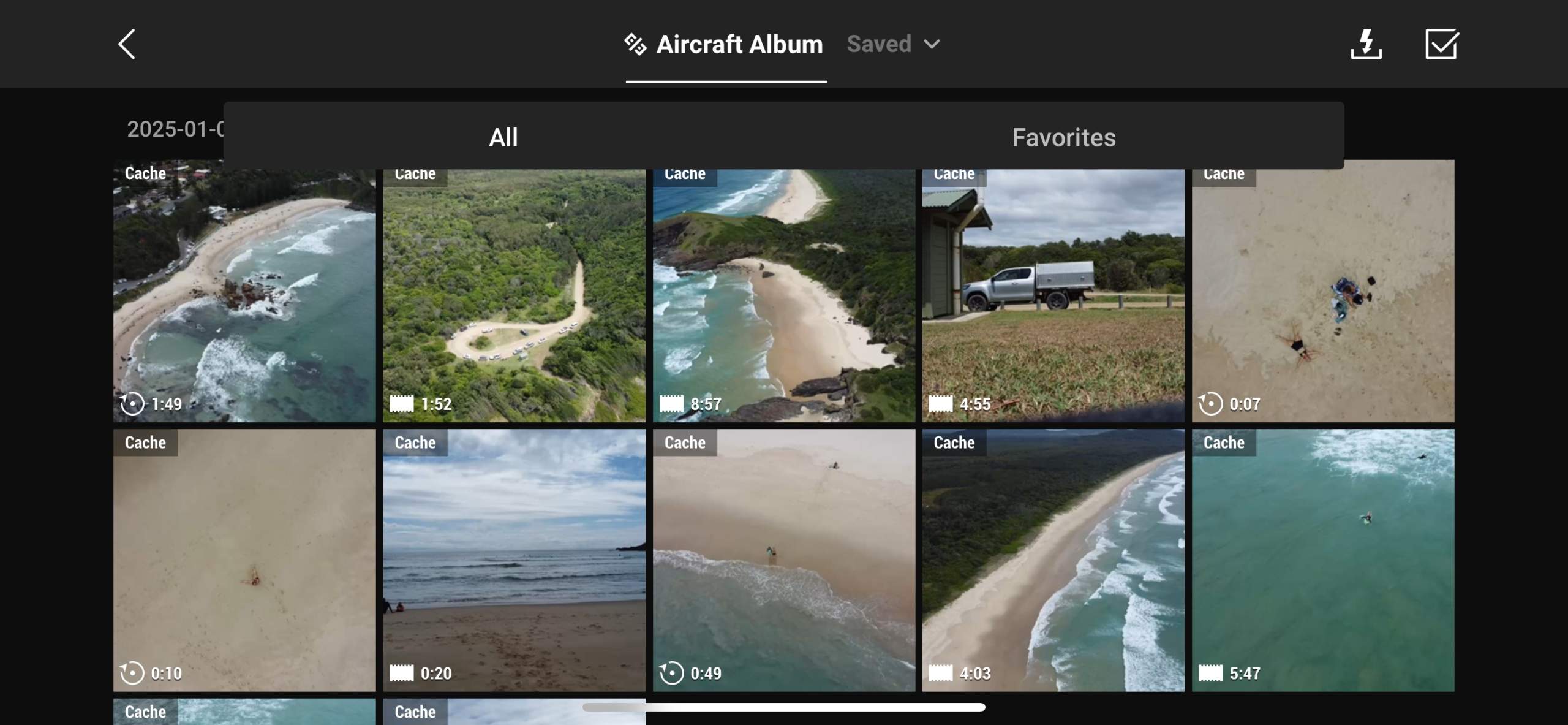
While you’re flying, the DJI Fly app creates preview versions of your photos and videos and saves them to your phone or tablet. These are:

  • Lower resolution
  • Compressed
  • Useful for quick sharing

They’re found in the DJI Fly app album or your phone’s gallery, usually under “DJI Album.” These are not full-quality files — they’re for quick viewing only.

What’s Stored in the DJI Fly App Itself?

The app stores:

  • Flight logs and flight paths
  • Cached video footage (if enabled)

You can manage cached storage via: DJI Fly App > Profile > Settings > Cache During Recording.

Turn it off to save space, or keep it on as a quick backup.

Pro Tip: Always fly with a microSD card inserted. Without it, your drone records in lower quality and may disable advanced photo modes.
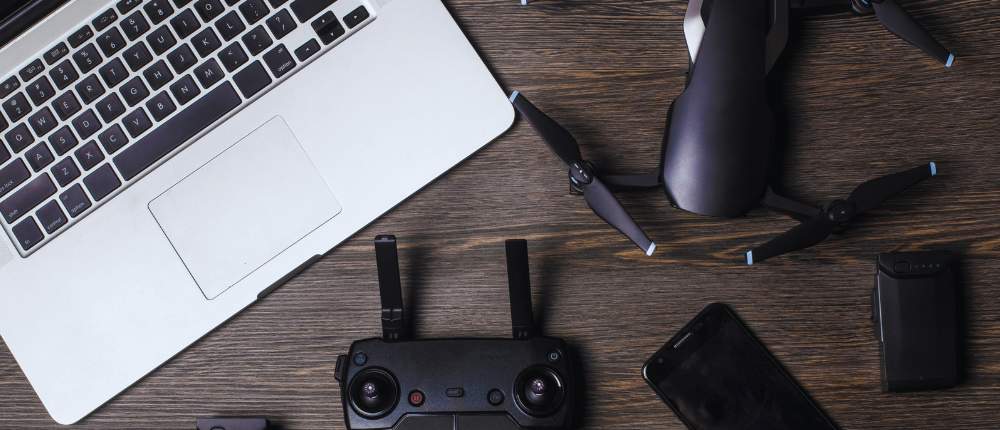
How to organise store and backup drone files

How to Transfer Drone Files: SD Card vs DJI Fly App

Transfer Files From Your Drone’s SD Card to a Computer

This method gives you full-resolution files and is ideal for editing, backing up, or archiving.

What You Need:

  • Your drone’s microSD card
  • A microSD to SD adapter (if needed)
  • A card reader (built-in or external)
  • A computer (Windows or Mac)

Step-by-Step:

  1. Power off your drone to safely remove the SD card.
  2. Eject the microSD card from the slot on the drone.
  3. Insert the microSD into a card reader or adapter.
  4. Plug the reader into your computer.
  5. On Windows: Open “This PC” — On Mac: Look in Finder or on your desktop.
  6. Open the DCIM folder — this contains your photos and videos.
  7. Copy the files into your organised folder system.
  8. Safely eject the SD card when finished.

Tip: This is the fastest and most reliable way to get your full-quality files for editing.

Transfer Files from DJI Fly App to iPhone

This method gives you access to either lower-resolution previews or lets you manually download full-resolution files from your drone using Wi-Fi.

To Save Preview Files (Cached):

  1. Open the DJI Fly app on your iPhone.
  2. Tap the Album icon (bottom right).
  3. Select the Phone tab — these are cached previews.
  4. Tap a photo or video, then tap the save or share icon.

Note: These are compressed and not full resolution — best for quick social sharing.

To Download Full-Resolution Files via the App:

  1. Power on your drone with the SD card inserted.
  2. Connect your iPhone to the controller and open DJI Fly.
  3. Go to Album > SD Card tab.
  4. Select the files you want to download.
  5. Tap the download icon to transfer them to your iPhone gallery.

Tip: This uses Wi-Fi from your drone to phone and can be slow — great in a pinch, but not ideal for large files or batches.

Summary: For the highest quality and easiest workflow, transfer directly from the SD card using a card reader. Use the DJI Fly app transfer if you’re travelling light or need access on the go.

How to Organise Your Files

1. Create a File Naming System That Makes Sense

One of the easiest ways to lose track of your footage is to let your drone assign generic filenames like DJI_0104.MOV or DJI_20231101_145322.JPG. These filenames mean nothing weeks or months later, especially when you’re scrolling through dozens of folders trying to find that one perfect beach flyover. Without a system, your media becomes a mess — and important shots get lost in the shuffle.

Setting up a file naming structure is a small habit that delivers big long-term benefits. It keeps your library searchable, helps you quickly scan through folders, and makes it easier to locate content when you’re ready to edit or publish. A good system also helps you distinguish between flights that might have happened on the same day but in different locations or times (e.g. morning vs afternoon).

The best naming conventions are consistent, simple, and include three key elements: the date of the flight, the location, and a short description or flight sequence. This structure helps you recall what the file contains even before opening it. And when you’re uploading content to cloud storage, video editors, or websites, a clear file name can also help with SEO and metadata tagging.

  • Date of flight (e.g. 2024-11-01)
  • Location (e.g. ByronBay)
  • Description (e.g. SunriseFlight1)

Example: 2024-11-01_ByronBay_SunriseFlight1.mp4

2. Organise Your Footage Into Folders By Date and Location

Once your files are properly named, the next step is to store them in a folder system that makes sense — both now and in six months when you’re trying to find that perfect wave shot from last summer. The easiest and most effective system is to organise your drone footage by year, date, and location. This structure follows the natural rhythm of how we fly, making it easier to locate files based on memory, project timelines, or seasonal content.

For example, you can start with a master folder called /Drone_Footage, and inside that, create subfolders for each year. Within each year, create folders based on the date and the location of your flight. If you shoot in the same place more than once, include the time of day or a short description to tell flights apart (e.g. Sunset, RainyDay, or ClientShoot1).

This structure also makes cloud syncing and backups easier. If you’re using Google Drive, Dropbox, or an external SSD, you’ll be able to sync individual folders without dragging your whole archive across devices. Plus, when importing into editing software like Final Cut Pro or DaVinci Resolve, this level of organisation means less time hunting and more time creating.

Here’s an example layout:

/Drone_Footage
    /2024
        /2024-11-01_ByronBay_Sunrise
            /Photos
            /Videos
            /Panoramas
        /2024-10-15_Maroochydore_Afternoon
        /2024-09-02_ClontarfBeach_Flight2

Once this system is in place, it becomes second nature — and it will save you hours down the track, especially when you start building up a serious library of footage from different trips, clients, or seasons.

3. Use Tags or Labels to Highlight Your Best Shots

Even with great naming and folder structure, large volumes of footage can still become overwhelming — especially if you fly regularly or shoot extended sessions. That’s where tags, colour labels, and star ratings come in. These small actions make a huge difference when you’re trying to find your best shots for editing, client delivery, or content creation.

Most operating systems and editing tools allow you to tag files or mark them as favourites. On Mac, you can use Finder’s colour labels and tags; on Windows, file tagging is available through Explorer with some third-party tools. If you’re using editing software like Adobe Lightroom, Adobe Bridge, or DaVinci Resolve, you can apply star ratings (1–5 stars), flags, or keywords during the import or review process. Marking your keepers as you go means you won’t have to scrub through hours of footage every time you want to post to Instagram or start a new video edit.

Set your own tagging system based on what you need. For example:

  • Red label = Needs editing
  • Green label = Publish-ready
  • 3 stars = Solid b-roll
  • 5 stars = Hero shot

When you’re extracting stills from your video footage, it’s important to keep them linked to the original source. Rename them using the same date and location structure, but add _Still or _FrameGrab at the end so you can instantly identify them as screenshots rather than original photos. This helps avoid confusion when editing or exporting final files.

Using tags, labels, and ratings might feel like an extra step in the moment, but it can save you hours of frustration later — especially when you’re building a portfolio, creating reels, or trying to locate the one amazing frame from your beach shoot six months ago.

4. Store Your Files on a Dedicated External Drive

Drone footage takes up a lot of space. Even short flights can generate multiple gigabytes of high-resolution video and RAW photo files. If you’re saving everything on your laptop, it won’t be long before you’re out of room — and that slows everything down. That’s why it’s smart to invest in a dedicated external drive just for your drone media. Keeping it separate from your everyday documents and downloads helps you stay organised and protects your content from accidental deletion or clutter.

We recommend using a drive that’s at least 2TB or larger, especially if you’re capturing 2.7K or 4K footage regularly. A solid state drive (SSD) is ideal for travellers and content creators who want faster transfer speeds and more durability. If you’re editing directly from the drive, an SSD will also reduce lag and buffering compared to older spinning hard drives (HDDs).

Create a clear folder structure on the drive, and label the outside of it with the year or project name — especially if you’re using more than one. For example: “Drone Footage 2024” or “Client Work – Coastal Shoots.” This might seem like overkill, but six months from now when you’ve filled half a dozen drives, having a visible label saves a lot of guessing and reconnecting.

For extra peace of mind, consider using two drives — one for active projects and another for archiving past footage. When you finish a project or complete a shoot, move those files from your main drive to the archive to keep your working space clean and fast.

Bonus tip: Use physical labels or even colour-coded tape to distinguish different drives. This helps avoid mixing up client work with personal content or grabbing the wrong one on your way out the door.

5. Back Everything Up (Twice)

If you’ve ever lost footage — from a corrupt card, a failed drive, or accidental deletion — you know how painful it is. Unlike family photos or phone videos, drone footage is often location- and time-sensitive. You may not get another sunrise with perfect waves, that dolphin swimming by, or your friend’s wedding from the sky. That’s why a solid backup strategy is non-negotiable.

The golden rule of data safety is the 3-2-1 backup method:

  • 3 copies of your data
  • 2 different storage types (e.g. SSD + cloud)
  • 1 offsite or cloud-based copy

Start by keeping one copy on your working external drive. Then back that up to a second drive (preferably stored separately or offsite — even at a friend’s house or studio). Finally, upload your files to a cloud service so you’re protected even if both physical drives fail due to theft, fire, or hardware issues.

Good cloud options include:

  • Google Drive – good for photos and small projects
  • Dropbox – useful for syncing across devices
  • Backblaze – affordable, automated full-drive backups
  • iDrive – another solid, reliable cloud backup tool

And yes — even SSDs fail. They’re faster and more durable than HDDs, but no hardware is invincible. Don’t leave your best drone moments vulnerable to one unlucky failure. Set up your backup routine now and automate as much as you can — future you will be extremely grateful.

6. Bonus: Keep Your Memory Cards Organised Too

As your collection of drone footage grows, so will your collection of memory cards. And without a system in place, it’s incredibly easy to lose track of what was filmed when, what’s been imported, and which cards are safe to reformat. A few simple habits can save you from accidentally deleting precious footage — or spending hours trying to find the right files.

Start by storing your cards in a labelled SD card wallet. Use physical labels, coloured stickers, or number each card with a permanent marker. Keep a small notebook (or use your phone) to log each flight: where you flew, the date, and which card the footage is on. This is especially helpful if you’re filming multiple locations on the same day or if you’re on the road with limited time to offload files.

Once you’ve transferred your footage to your drive and verified that it’s safe and backed up, reformat the card in your drone before the next flight. This clears space, reduces the risk of file corruption, and ensures your drone can write smoothly to the card. Avoid formatting cards on your computer — doing it in the drone ensures compatibility and performance.

Pro Tip: Carry at least 2–3 memory cards on every shoot. If something goes wrong with one, you’ll still be able to fly and capture content. And label full cards as “used” with a small clip, sticker, or turning them upside down in the case so you never overwrite them by mistake.

Final Thoughts: File Chaos Is Avoidable

Losing your drone is bad — losing your footage is worse. With just 10 extra minutes after each flight, you can build a reliable, searchable archive that keeps your best work safe and ready to edit. Name it. Sort it. Back it up. Future you will be so grateful.

FAQs About Organising Your Drone Files

What’s the best way to organise my drone footage?

The most effective method is to organise files by year, date, and location. For example:

/Drone_Footage/2024/2024-11-01_ByronBay_SunsetFlight.

Within each folder, you can create subfolders for Photos, Videos, and Panoramas. This structure mirrors the way drone content is captured and makes it easy to find specific footage later.

Why should I rename my files? Aren’t the default DJI names good enough?

DJI’s default filenames like DJI_0012.MP4 or DJI_0234.JPG don’t tell you anything about when or where the footage was captured.

Renaming your files using a format like 2024-11-01_ByronBay_SunsetFlight1.mp4 helps you identify clips instantly and keeps your library organised — especially when importing into editing software or backing up to cloud services.

What’s the best type of external drive for drone storage?

A 2TB (or larger) SSD (solid state drive) is ideal for speed and durability, especially if you travel or edit on the go. HDDs (hard disk drives) are cheaper and fine for backup storage, but they’re slower and more prone to physical damage. SSDs also handle 4K and 5.4K footage better when editing directly from the drive.

How many backups should I have of my drone footage?

Follow the 3-2-1 backup rule:

  • Keep 3 copies of your files
  • Store them on 2 types of media (e.g. SSD and cloud)
  • Keep 1 offsite or cloud-based copy in case of theft, fire, or hardware failure

Use tools like Google Drive, Dropbox, Backblaze, or iDrive to automatically back up your data in the background.

Should I delete files from my memory card after each flight?

Only after you’ve transferred and confirmed your footage is backed up. Once confirmed, always reformat the card in your drone — not on your computer — to reduce file corruption and ensure compatibility. Reformatting clears space and prepares the card properly for the next shoot.

How do I manage multiple memory cards without getting confused?

Use a labelled SD card wallet and number your cards. After each flight, jot down which card you used and what was captured. You can even mark full cards by flipping them upside down in your case or tagging them with a small sticker to avoid accidental reuse before backing up.

Can I store all my footage on my iPhone or tablet?

It’s not recommended. While your phone may store cached or preview files from the DJI Fly app, these are lower resolution and compressed. Always transfer full-resolution footage from the SD card for best quality and long-term storage. Mobile devices should only be used for quick reviews or temporary access.

Ivana Katz***

Ivana Katz is a Sydney based website designer and travel blogger.  Having her own business has given her the freedom to explore the world.  She believes travel is the best teacher and her passion for adventure, writing and photography has taken her and her son to some amazing places, including Hawaii, Canada, Fiji, Greece and Czech Republic.  Ivana’s favourite thing about travelling is learning, discovering hidden gems and creating memories.  She loves nothing more than inspiring other women to chase their dreams and explore the world with their families and friends.

You May Be Also Interested In

All 6 /Drone 5
Top 5 Sydney beaches to fly your drone

Top 5 Sydney Beaches to Fly Your Drone (Now a Printable Guide)

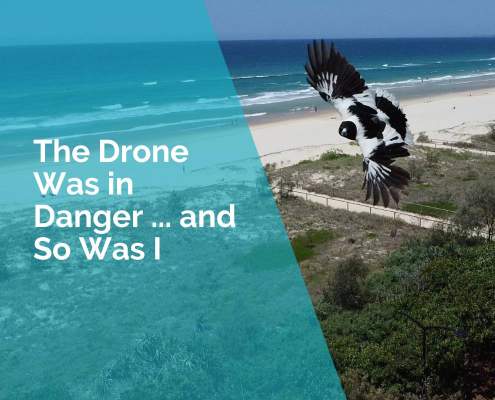
The drone was in danger and so was I

The Drone Was in Danger… and So Was I

This was my bucket list drone flight

This Was My Bucket List Drone Flight – and I Almost Ruined It

Why birds chase drones and how to protect your drone

Why Birds Chase Drones and How to Protect Your Drone

First flight fail - I should have read the instructions.

First Drone Flight Fail: I Should Have Read the Instructions!

How I crashed my drone filming a world record setting water rocket

How I Crashed My Drone Filming a World Record Water Rocket (That Wasn’t Even Moving)

My name is Ivana and I am a Sydney based website designer and blogger.  I build websites that build businesses and in between projects I travel the world.  I hope you come on this journey with me to create special memories with your family and friends.

adventurehq_travel

📍 Fun things to do with your family and friends
🌎 Must-visit destinations
📷 Collect MEMORIES not things 💖
💌 admin@adventurehq.com.au

Some moments are worth logging off for. Freedom is Some moments are worth logging off for.
Freedom isn’t about escaping work – it’s about living on your own terms. Working for yourself is about freedom to choose. 😎🌴👩‍💻🍹🐢

#AdventureHQ_Travel #FreedomToChoose #IslandLife #GiliT #DroneFootage #WorkAnywhere #OceanVibes #TurtleEncounter #TravelMoment #DigitalNomad #LaptopLife #GiliMeno
Monkey Business !! 🐵🐒😎 #MonkeyBusiness #W Monkey Business !! 🐵🐒😎 #MonkeyBusiness #WildEncounters #TravelFails #TravelHumour #BaliAdventures #ComedyReels #RelatableReels
The struggle is real … how do you pretend to wor The struggle is real … how do you pretend to work when the view looks like this? 👩‍💻🍹🌴
Ever wondered where to fly your drone in Sydney… Ever wondered where to fly your drone in Sydney… without getting yelled at by a lifeguard or fined by CASA?

This reel shows you 5 epic spots you must check out. 🎥 All beaches featured are in my new Sydney Drone Guide — packed with tips, best times to shoot, and where to avoid the “Karen zones.”
👇

Get the guide here:
https://www.adventurehq.com.au/listing/drone-guide-sydney-beaches/#adventurehq_travel #travelblogger #sydneydronephotography #sydneydroneguide #droneaustralia #dronephotography #sydneybeaches #djimini2photography #droningsydney #aussiebeaches #coastalviews #wheretoflyyourdrone
PT said 12 reps … alrighty then 👍👍 #accide PT said 12 reps … alrighty then 👍👍 #accidentalfitness #Proud member of the Mile High Cardio Club. Great for increasing your heart rate circulation and endurance 😁✈️😅💪

#AccidentalFitness #IvanaFitnessPlan #AirportWorkout #EverydayWorkout #LifeIsTheGym #TravelHumour #POVReels #RelatableReels #ComedyReels #TravelFitness #AltitudeTraining #NotAGymWorkout #TravelWorkout
Sometimes freedom isn’t about where you go - it’s about who you’re going to see. 🐣❤️✈️ #adventurehq_travel #travelblogger #laptoplifestyle #workanywhere
Feeling a little nervous … hope the pilots done Feeling a little nervous … hope the pilots done this before 😬✈️🤞#adventurehq_travel #travelblogger #pilottraining #jetstar
The doctor recommended I exercise by going up and The doctor recommended I exercise by going up and down the stairs … alright then … 😁😎✈️#adventurehq_travel #travelblogger #laptoplifestyle #sydneylife #
Just wondering which luggage tag is more slimming Just wondering which luggage tag is more slimming 😁✈️#adventurehq_travel #travelblogger #laptoplifestyle
Apparently my arrival’s now an official city eve Apparently my arrival’s now an official city event. 😁📸💃 #adventurehq_travel #travelblogger #sydneylocal #visitnsw #sydneylife #laptoplifestyle #workanywhere #fireworks
One guess where I am 😁😎💃#adventurehq_trav One guess where I am 😁😎💃#adventurehq_travel #travelblogger #sydneylocal #visitnsw #sydneylife #laptoplifestyle
Meet my boss, Snoopy the drone. When he says Fly … I say How High? 🚁😎#adventurehq_travel #snoopythedrone #travelblogger #visitnsw #sydneylocal #dronelife #laptoplifestyle
The best part of working for yourself? Days like t The best part of working for yourself? Days like this. No clock to punch, no boss to ask. Just a laptop, coffee, and freedom. This is why I’ll never trade my business for a 9–5.#FreedomThroughBusiness #LaptopLifestyle #WorkAnywhere #BusinessOnYourTerms #CoastalVibes #EntrepreneurLife #IvanakKatz #adventurehq_travel @ivanakkatz
Not everything needs to make sense to be beautiful Not everything needs to make sense to be beautiful 🌴📸☀️🌏 #travelblogger #sydneylocal #adventurehq_travel #sunrise #narrabeen #visitnsw
Winter in Sydney 🌺🚁🌴 #adventurehq_travel Winter in Sydney 🌺🚁🌴

#adventurehq_travel #travelblogger #sydneylocal #dronelife #snoopythedrone #sydneylife #visitnsw #
I struggle with parallel parking on four wheels. S I struggle with parallel parking on four wheels. So naturally… I tried with a drone. #adventurehq_travel #travelblogger #dronelife #sydneylocal #dronepilot #sydneylife #parallelparking #snoopythedrone
I’m just a girl standing in front of a drone … I’m just a girl standing in front of a drone … hoping not to crash it 🤦‍♀️🚁 #adventurehq_travel #dronelife #dronefail #dronecrash #travelblogger #sydneylocal #djidrones #postyourstory
POV: What Mondays look like when you work for your POV: What Mondays look like when you work for yourself. 😎🌴🚁📸 
#WorkForYourself #SelfEmployedLife #CreativeFreedom #WorkAnywhere
#LaptopLifestyle #postyourstory
#NotYourAverageMonday
#ThisIsWork
#adventurehq_travel 
#OfficeWithAView #web4business
Stunning sunrise after a week of rain. 😎🌴☀ Stunning sunrise after a week of rain. 😎🌴☀️
#sunrise #adventurehq_travel #travelblogger #sydneylocal #narrabeenbeach
BUSINESS MEETS LIFE. Blogging and building website BUSINESS MEETS LIFE. Blogging and building websites between shopping, friends and mum duties. Being your own boss means no two days ever look the same. 😎🚘💻 #adventurehq_travel #travelblogger #worklifebalance❤️ #dayinthelifeof #webdesigner
Home is where the dog is. 🐶❤️✈️ #advent Home is where the dog is. 🐶❤️✈️
#adventurehq_travel #cominghome #travelling #familytravels #sydneylife #reunited
Instagram post 18261299116280914 Instagram post 18261299116280914
RedBull Cliff Diving 😎👌👙#adventurehq_trav RedBull Cliff Diving 😎👌👙#adventurehq_travel #travelblogger #redbullcliffdiving #sydneylocal #redbullau #visitnsw #sydneylife #sydneyharbour #sydneyharbourbridge
Dee Why Beach … hanging out with the Red Bull cr Dee Why Beach … hanging out with the Red Bull crew. ❤️ #adventurehq_travel #deewhybeach #redbullau #visitnsw #dronephotography #dronelife #travelphotography #dronepilot #travelblogger #sydneylife #sydneylocal #snoopythedrone
Snoopy The Drone exploring Narrabeen Lake and Narr Snoopy The Drone exploring Narrabeen Lake and Narrabeen Beach 🏖️😎🚁 #snoopythedrone #dronephotography #dronelife #adventurehq_travel #visitnsw #sydneylocal #familytraveladventure #travelblogger #visitsydney
Sydney Obsevatory … where history meets science. Sydney Obsevatory … where history meets science. ⭐️🌔🌏 #sydneyobservatory #sydneyobservatoryhill #sydneytravelblogger #familytravel #adventurehq_travel #visitnsw
Feeding stingrays at Bendalong Boat Harbour Beach Feeding stingrays at Bendalong Boat Harbour Beach with Snoopy the drone and Charlie the GoPro. 📸🐠🦀🌴#stingray #stingrays #bendalong #visitnsw #adventurehq_travel #travelphotography #gopro #goprophotography #goprolife #dji #dronephotography #dronelife
I got lucky last night … TWICE!!! South Curl Cur I got lucky last night … TWICE!!! South Curl Curl and North Steyne. 🌕🌎🙏😎❤️📸

#manlybeach #visitnsw #bioluminescence #curlcurl #instatravel #sydneylocal #adventurehq_travel #bioluminescentwaves #manlyobserver #manly #manlyaustralia #travelphotography #travelblogger #northsteyne
Red Bull Life 😎 #redbullau #adventurehq_travel Red Bull Life 😎

#redbullau #adventurehq_travel #carenthusiasts #visitnsw #djlife #djlifestyle #dreamjob
Christmas @grounds_of_alexandria_ #christmas #vis Christmas @grounds_of_alexandria_  #christmas #visitnsw #adventurehq_travel #travelphotography #mustsee #christmaslights #groundsofalexandria
Oh the excitement when a new friend comes to visi Oh the excitement when  a new friend comes to visit 🐶❤️ 

#friendship #puppylove #travelblogger #adventurehq_travel #wholetthedogsout #dogoftheday #dogsofinstagram #sydneydogs #sydneydogslife #puppygram #puppylife
My favourite place to work. #shellybeach #manlybea My favourite place to work. #shellybeach #manlybeach #manly #travelblogger #adventurehq_travel #northernbeaches #worklife #laptoplifestyle #visitnsw #theboathouse
Working hard or hardly working 🌺🏝️🏖️☕️ #shellybeach #theboathouse #manly #manlybeach #manlyaustralia #travelphotography #travelgram #travelblogger #visitnsw #traveltheworld #adventurehq_travel
#brunetti #visitmelbourne #foodporn #melbournefood #brunetti #visitmelbourne #foodporn #melbournefood #melbourneeats #omg #travelblogger
Good morning Sydney 😎🌄 #sydneylocal #sunrise Good morning Sydney 😎🌄 #sydneylocal #sunriseoftheday #visitnsw #narrabeenbeach
Looking for a weekend getaway that will keep the w Looking for a weekend getaway that will keep the whole family entertained? ☺️ 

Look no further than New South Wales, Australia! ✨️ 

Unleash your inner adventurer with these family-friendly getaways in NSW! 🤸‍♀️💖

⭐️ Byron Bay: Located on the far north coast of NSW, its a popular destination for families due to its laid-back atmosphere, stunning beaches and range of outdoor activities. 
✨️ Whale watching tour 
✨️ Cape Byron Lighthouse
✨️ Surf lesson 
✨️ Crystal Castle and Shambhala Gardens
✨️ Byron Bay Hinterland 
✨️ Horse riding tour
✨️ Kayaking tour

⭐️ Jervis Bay: Located on the south coast of NSW, its famous for its white sandy beaches and crystal-clear waters.
✨️ Hyams Beach
✨️ Dolphin and whale watching tour
✨️ Booderee National Park
✨️ Lady Denman Maritime Museum
✨️ Sea kayak tour 
✨️ Snorkelling or scuba diving
✨️ Aboriginal cultural tour 

⭐️ Batemans Bay: Located on the south coast of NSW, its a popular holiday destination for families due to its beautiful beaches, waterways and national parks. 
✨️ Fishing or crabbing at the Clyde River.
✨️ Mogo Zoo
✨️ River cruise
✨️ Batemans Bay Mini Golf and Water Park
✨️ Murramarang National Park
✨️ Eurobodalla Botanic Gardens
✨️ Surf lesson 

⭐️ Coffs Harbour: Located on the mid-north coast of NSW, its a popular destination for families due to its stunning beaches, scenic hinterland and range of family-friendly activities 
✨️ Big Banana
✨️ Whale watching tour
✨️ Muttonbird Island Nature Reserve
✨️ Jetty Beach or Park Beach.
✨️ Coffs Harbour Butterfly House and Maze
✨️ Dorrigo National Park
✨️ Dolphin Marine Conservation Park

⭐️ Port Stephens: Located just a couple of hours north of Sydney, its a paradise for families looking to enjoy a relaxing beach getaway. 
✨️ Dolphin watching
✨️ Camel ride
✨️ Tomaree Head Summit Walk 
✨️ Sandboarding
✨️ Oakvale Wildlife Park
✨️ Fishing charter 
✨️ Scenic cruise 

⭐️ Port Macquarie: Located on the mid-north coast of NSW, its a popular holiday destination for families due to its stunning beaches, nature reserves and range of family-friendly activities. 
✨️ Koala Hospital
✨️ Camel ride
✨️ Sea Acres Rainforest Centre
✨️ Billabong Zoo
✨️ Bike ride
✨️ Port Macquarie Museum
Let’s make the most of school holidays and get o Let’s make the most of school holidays and get out there!☺️

Unleash the Fun and check out these exciting activities for your kids this school holiday! ✨️

Get the kids outside and let them explore New South Wales. It will be a great fun! 🥳🤸‍♀️

‼️LIKE AND FOLLOW FOR MORE TRAVEL CONTENT 💖

#adventurehq_travel #newsouthwales #ilovesydney #travelphotography #travelblog #adventure #australia #nsw #nswtourism #traveltheworld #familygetaway #visitnsw #travelaustralia #sydneylife #sydneylocal #travelwithkids #traveltips #sydneyblogger #travelcommunity #discoveraustralia #traveltips #holiday #familyadventure #waterfalls #bluemountains #kidsactivities #kidstravel #kidsadventure #igtravel #traveldiaries
Coffs Harbour is a coastal city located on the Nor Coffs Harbour is a coastal city located on the North Coast of New South Wales, Australia. It is a popular tourist destination and is known for its stunning natural beauty, including pristine beaches, rainforest-covered mountains, and picturesque waterfalls.

‼️LIKE AND FOLLOW FOR MORE TRAVEL CONTENT ☺️

#adventurehq_travel #newsouthwales #ilovesydney #travelphotography #travelblog #adventure #travelingram #travelgram #australia #nsw #nswtourism #traveltheworld #familygetaway #visitnsw #travelaustralia #visitaustralia #sydneylife #sydneylocal #exploringaustralia #travelwithkids #traveltips #familyactivities #coffscoast#australia_shotz #sydneyblogger #coffsharbour #travelcommunity #discoveraustralia #traveltips #holiday
YOU'RE MISSING OUT! 👀 Blue Mountains Scenic Wo YOU'RE MISSING OUT! 👀

Blue Mountains Scenic World is a well-known tourist attraction near Katoomba, New South Wales, Australia. 💖
 
Scenic World offers a variety of activities, including:

1️⃣ Scenic Skyway: ☁️ This cable car journey crosses a steep ravine, providing breathtaking views of the Jamison Valley and the Three Sisters rock formation. 🚠

2️⃣ Scenic Railway: 🚉 The world's steepest passenger railway descends into the Jamison Valley, passing through a tunnel and providing views of the rainforest. 🌳

3️⃣ Scenic Cableway: 🚠 This cable car ride takes guests into the Jamison Valley and provides views of Katoomba Falls and the Three Sisters. 🚡

4️⃣ Scenic Walkway: 🌉 This 2.4-kilometer boardwalk winds through the rainforest, allowing visitors to get up up and personal with natural flora and creatures. 🚶‍♂️🚶‍♀️

Overall, Blue Mountains Scenic World provides a unique and thrilling way to see the region's natural beauty. 😊✨️

‼️SAVE THIS FOR LATER.
‼️LIKE AND FOLLOW FOR MORE! 💖

#australia #nsw #nswtourism #traveltheworld #familygetaway #visitnsw #collectmomentsnotthings #travelaustralia #visitaustralia #sydneylife #sydneylocal #exploringaustralia #travelwithkids #traveltips #adventurehq_travel #newsouthwales #ilovesydney #travelphotography #travelblog #adventure #travelingram #travelgram #vacationmode #familyactivities #australia_shotz #bluemountains #scenicworld #scenicview #cloud #sydneyblogger
The Blue Mountains has a variety of lodging altern The Blue Mountains has a variety of lodging alternatives, ranging from budget-friendly hostels to luxury resorts. 😊✨️ Hotels, guesthouses, bed & breakfasts, and self-contained cottages are among the most popular types of accommodation in the Blue Mountains. 

TIPS:
‼️ Consider your budget, travel interests, and the vicinity of your preferred activities when selecting a hotel to stay.
‼️ Consider the amenities provided while booking a hotel room, such as Wi-Fi, parking, breakfast, and room service. 
‼️You might also wish to read reviews from prior visitors to get a sense of their experiences and the level of service provided.

The greatest spot to stay in the Blue Mountains ultimately comes down to your particular preferences, budget, and travel goals. 🥳

The Blue Mountains, with its breathtaking natural beauty, attractive villages, and variety of lodging alternatives, is guaranteed to provide a memorable and delightful experience for any traveler. 💖

#adventurehq_travel #newsouthwales #ilovesydney #travelphotography #travelblog #adventure #travelingram #travelgram #australia #nsw #nswtourism #traveltheworld #familygetaway #visitnsw #collectmomentsnotthings #travelaustralia #visitaustralia #sydneylife #sydneylocal #exploringaustralia #travelwithkids #traveltips #vacationmode #familyactivities #australia_shotz #bluemountains #scenicworld #scenicview #cloud #sydneyblogger
Follow on Instagram


Booking.com

Klook.com

300*250


Booking.com

Contact Us

E: admin@adventurehq.com.au  |   T: 0405 636 204   |   Sydney, Australia

Copyright (c) 2021 AdventureHQ –  Website design by Websites 4 Small Business

Terms & Conditions

Privacy Policy

10 Creative Ways to Use Your Drone Footage (Beyond Just YouTube)Creative ways to use your drone footageHow to get amazing photos from your drone video footageHow to Get Amazing Photos From Your Drone Video Footage
Scroll to top